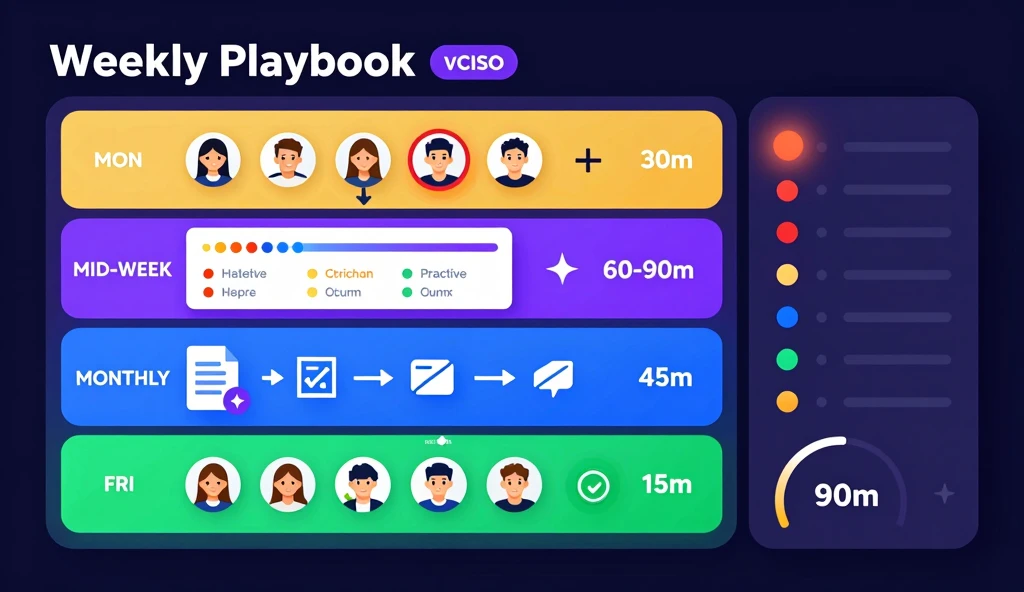
A well-run fractional CISO practice doesn’t feel like juggling. It feels like a system. Every client has a rhythm. Every week has a structure. You know what you’re doing before you open a single browser tab.
This playbook describes how to run a five-client vCISO practice using AutoCISO’s Partner Portal in roughly 90 minutes per client per week — including triage, deep dives, and monthly board pack delivery. It is concrete and sequential. Adapt the timing to your own pace.
Before you start: the portfolio mindset
The single most important shift a fractional CISO can make is moving from a client-by-client mental model to a portfolio mental model. You are not five separate CISOs. You are one CISO with a portfolio of five organizations.
That means your week starts at the portfolio level, not at the client level. You scan everything before you dive into anything. You triage across the full portfolio before you open a single client workspace. This prevents the trap of spending all your time in the one loudest organization while the quiet ones accumulate risk.
Monday: Portfolio triage (30 min total)
Step 1: Open the portfolio board (5 min)
The portfolio board shows all your managed organizations sorted by their current priority score — a composite of open findings, overdue access reviews, recent risk score changes, and days since your last session.
Scan from top to bottom. You’re looking for three things:
- Organizations with new critical findings since your last session
- Organizations where the risk score moved significantly (up or down)
- Organizations with access reviews that are overdue or approaching deadline
Don’t click into any organization yet. Just read the board.
Step 2: Build your weekly action queue (10 min)
The cross-portfolio action queue ranks open findings across all clients in a single list. Open it and filter to this week’s priorities:
- Critical findings (severity: high or critical) that are new since last Monday
- Access reviews that are overdue or due this week
- Offboarding gaps — terminated employees still showing active access anywhere
- Items that have been open for more than 30 days without movement
Mark the top five actions for the week. These become your work queue.
Step 3: Assign client sessions for the week (5 min)
Based on the portfolio board and action queue, decide which clients get a full session this week and which get a quick check-in. A full session is 60–90 minutes. A check-in is 15 minutes.
Rule of thumb: any client with a new critical finding or overdue access review gets a full session. Others get a check-in unless they’re on a monthly board pack cycle.
Step 4: Set your weekly intention (10 min)
Write two sentences per client: what you’re going to do this week and why it matters. This is your context doc for the week. When you return to each client mid-week, you re-read these two sentences instead of re-deriving context from scratch.
Mid-week: Client deep dives (60–90 min per client)
Step 1: Enter the client org and load context (5 min)
Open the client’s health timeline. This shows what changed since your last session: new findings, resolved items, access changes, audit events. Read the timeline top to bottom before you do anything else.
This is the most important habit in the playbook. The timeline tells you what actually happened versus what you expected to happen. It surfaces things clients didn’t tell you and things your systems caught automatically.
Step 2: Work your queue items for this client (30–45 min)
Return to your weekly action queue and filter to this client. Work the items in priority order:
- For critical findings: review the finding, determine the remediation path, and assign the task (Jira ticket, Slack notification, or direct client communication).
- For access reviews: open the review campaign, check the reviewer responses, and escalate any items that are overdue or contested.
- For offboarding gaps: confirm whether the access has been revoked or is legitimately active, and update the status accordingly.
Document what you did and what the next step is. Every action should leave a clear next state.
Step 3: Proactive improvements (15–20 min)
Once your queue items are done, look at the client’s current posture and ask: what is the most valuable thing I can do proactively this week? This might be starting a new access review campaign, drafting a policy update, or flagging a configuration drift before it becomes a finding.
One proactive improvement per client per week compounds significantly over a year.
Monthly: Board pack delivery (45 min per client)
Step 1: Trigger the AI Board Pack Generator
Open the board pack generator for the client. Provide a brief context note describing the period: what were the major changes, any incidents, any notable improvements. The generator uses this context plus the client’s actual posture data to draft:
- An executive summary (2–3 paragraphs)
- A risk narrative covering the top three concerns
- Remediation priorities ranked by severity and effort
- A posture trend chart showing movement over the past 90 days
Step 2: Review and adjust the draft (20 min)
Read the draft carefully. The AI draft is a starting point, not a finished document. You are looking for:
- Inaccuracies in the risk narrative (the AI may weight findings differently than you would for this client’s context)
- Missing nuance that only you know (a finding that is technically open but is being managed by a planned migration, for example)
- Tone adjustments for the specific board audience
Edit directly in the draft. Most weeks, 10–15 minutes of editing is sufficient.
Step 3: Approve and send (5 min)
When the draft is ready, add the client contacts and send directly from the portal. The report arrives in their inbox as a branded PDF with your firm’s logo. The delivery is logged automatically.
Friday: Portfolio review (15 min)
Close the week at the portfolio level, just as you opened it. Check:
- Which action queue items are resolved and which are still open?
- Did any new critical findings emerge during the week that need Monday attention?
- Are all board packs for this month’s cycle delivered?
Update your weekly intention notes with the actual status. These notes become next Monday’s starting context.
The 90-minute benchmark
At a healthy steady state, a well-instrumented client takes approximately 90 minutes per week: 30 minutes of portfolio-level time (shared across all clients) plus 60 minutes of client-specific work. A five-client practice runs in roughly 6 hours per week of active management time, plus one monthly board pack delivery cycle of 3–4 hours.
That leaves meaningful capacity for new client onboarding, incident response, and the proactive security work that differentiates a good vCISO from a great one.
The system only works if the tooling provides the portfolio layer. Without it, every client is an island and every Monday is a context recovery exercise. With it, you’re running a practice — not a collection of engagements.